Audit Manager
Plan, run and report internal audits in one place.
Build versioned audit templates, book audits on a calendar, run them with evidence attached and finish with a fixed PDF report you can hand to an auditor, customer or certification body.
The problem
Audits live in spreadsheets and email
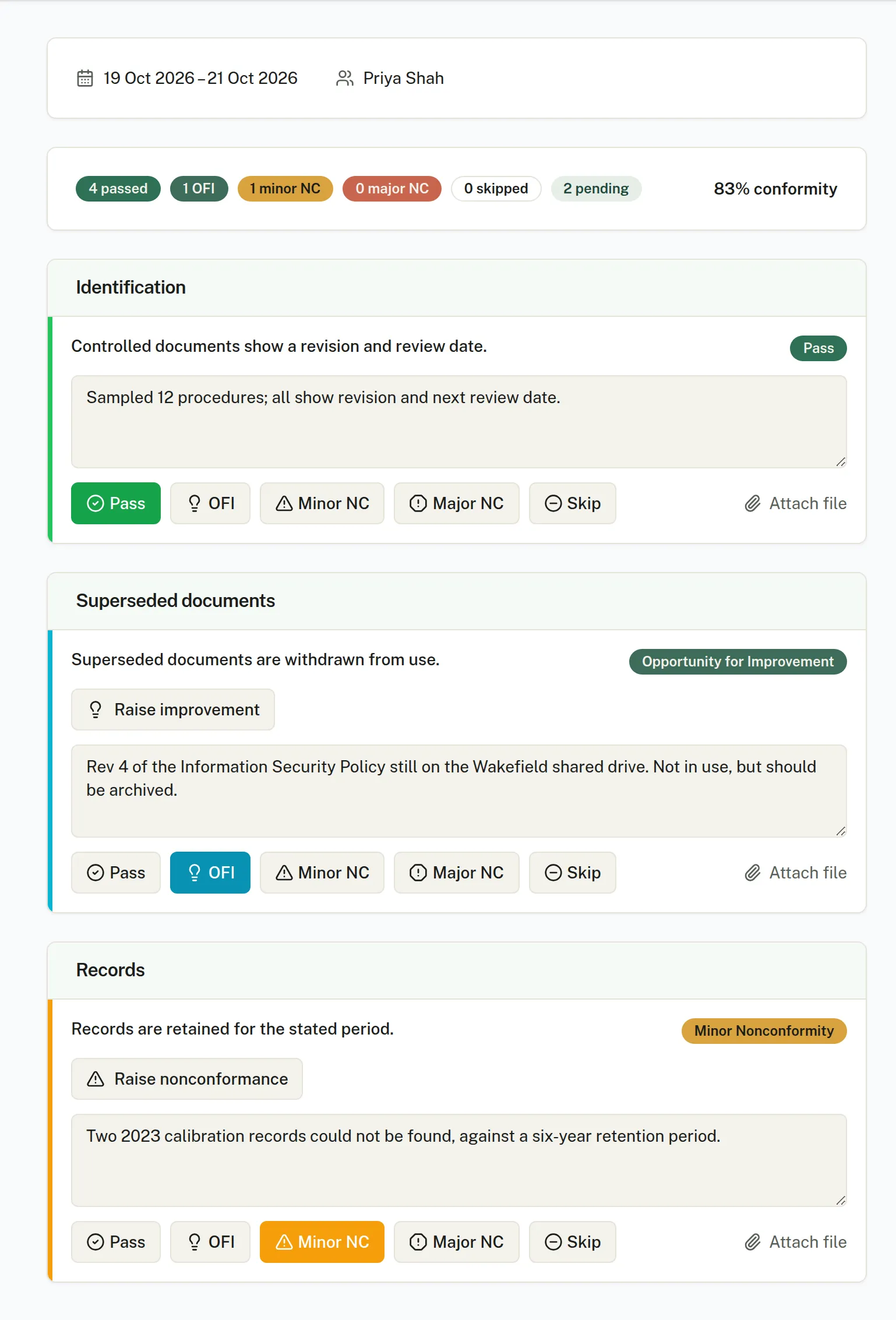
Checklists, bookings, photos, findings and sign-off end up in different places, and pulling it together for the auditor is its own project.
How it works
- 01
Template
Versioned checklists grouped into categories. Write criteria by hand or have AI draft them from chosen documents, with pass and fail guidance.
- 02
Schedule
Book audits on a month calendar, assign auditors, set recurring series and get a warning if an auditor is double-booked.
- 03
Run and report
Mark each criterion, attach evidence and photos, confirm the outcome and complete the audit to produce the report.
In the app
- Enlarge screenshot.
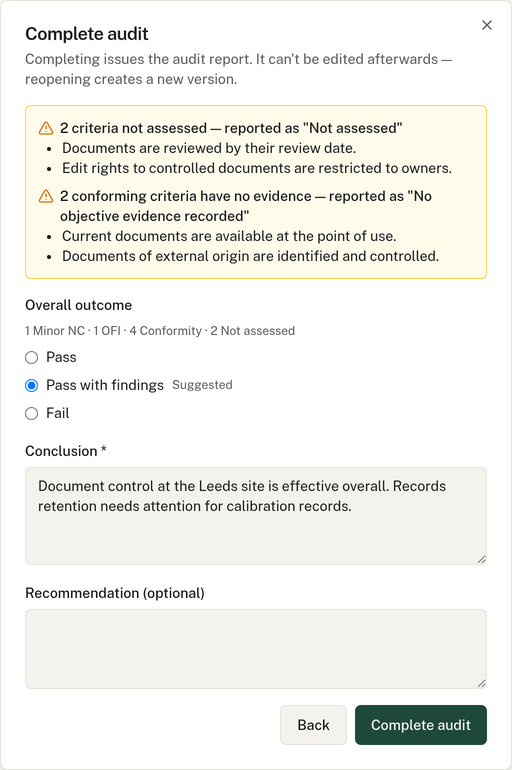
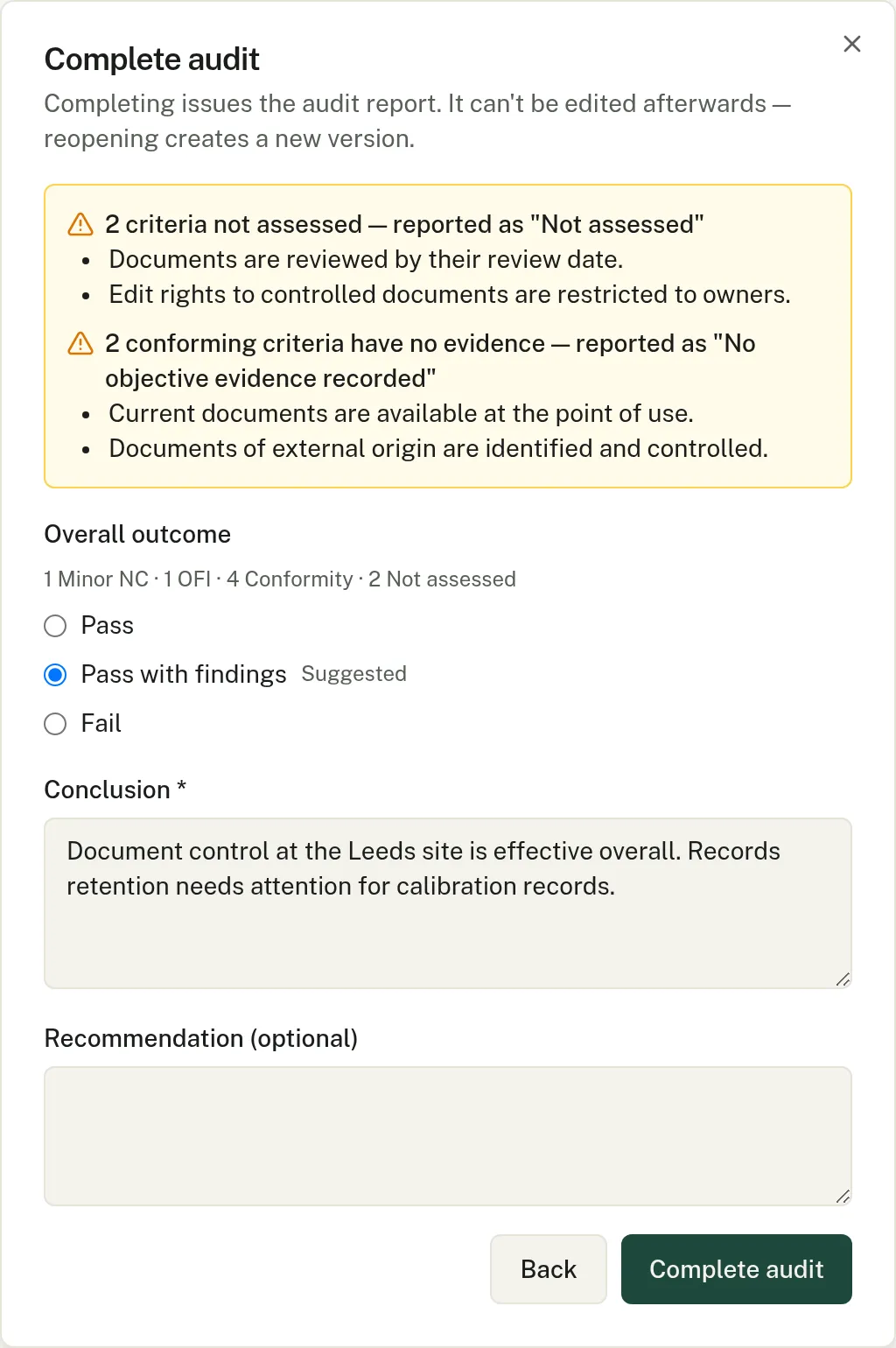
Compleka suggests the outcome and flags criteria with no evidence. The auditor confirms the outcome or overrides it. - Enlarge screenshot.
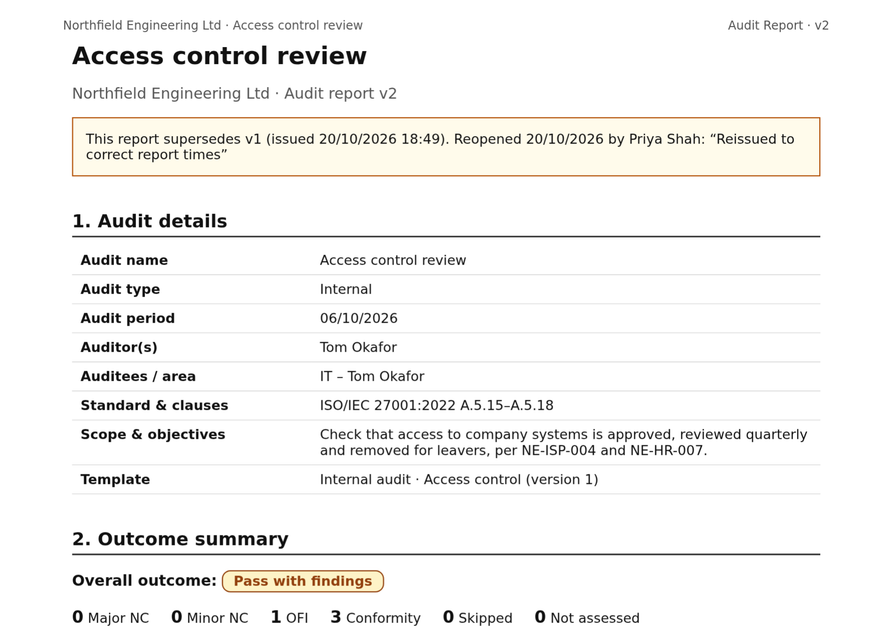
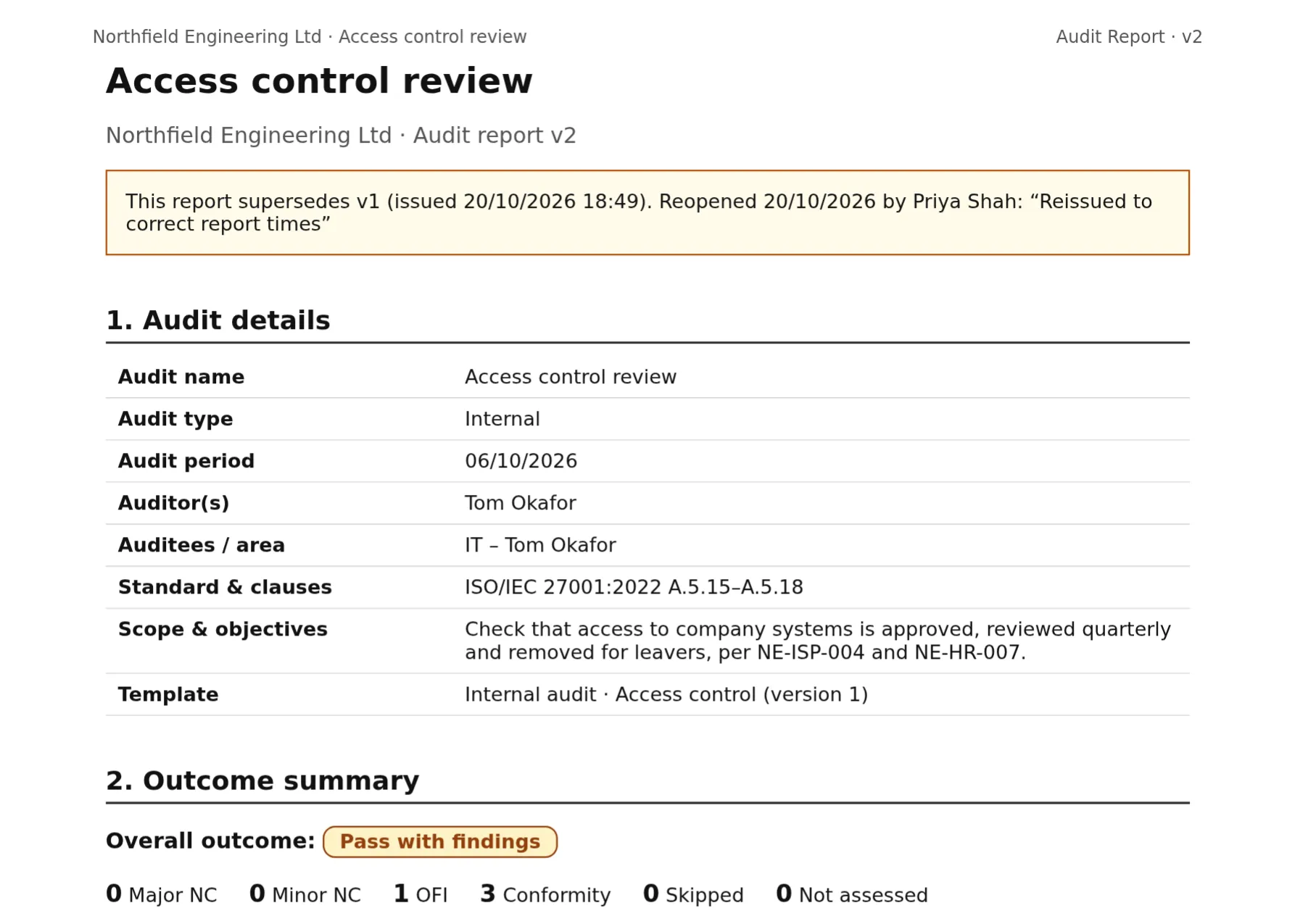
Completing an audit issues a fixed PDF report. Reopening it issues a new version that records why. - Enlarge screenshot.
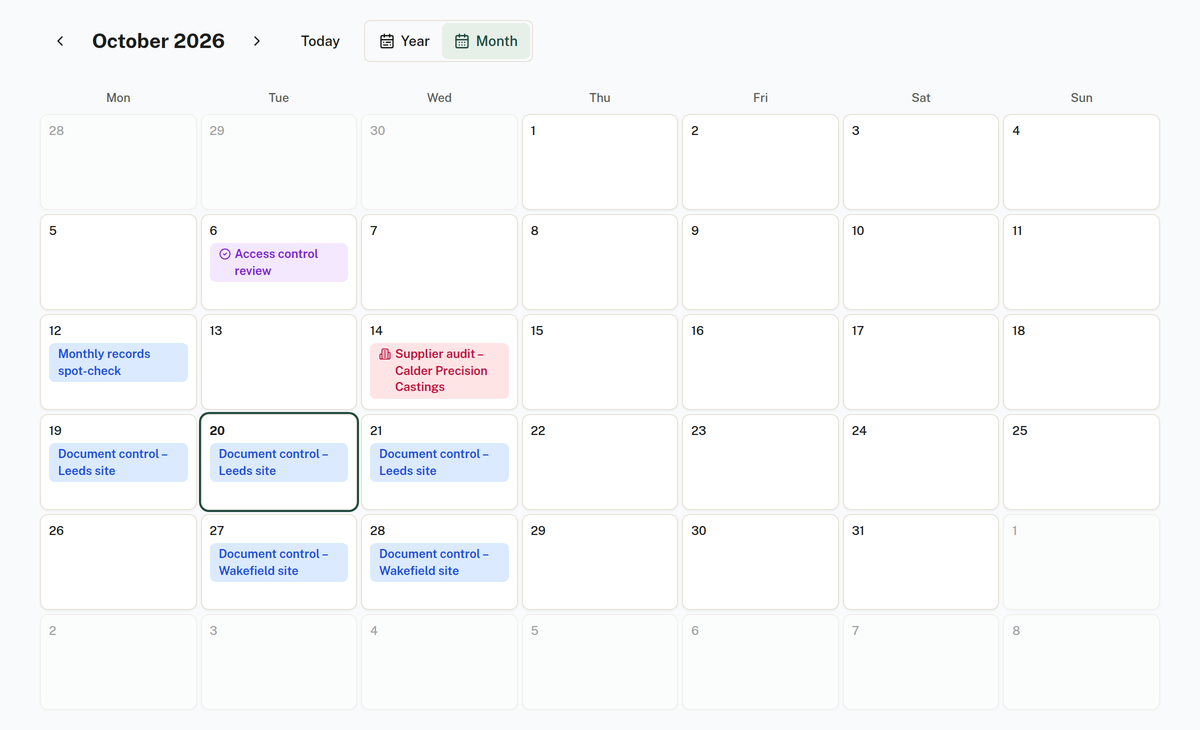
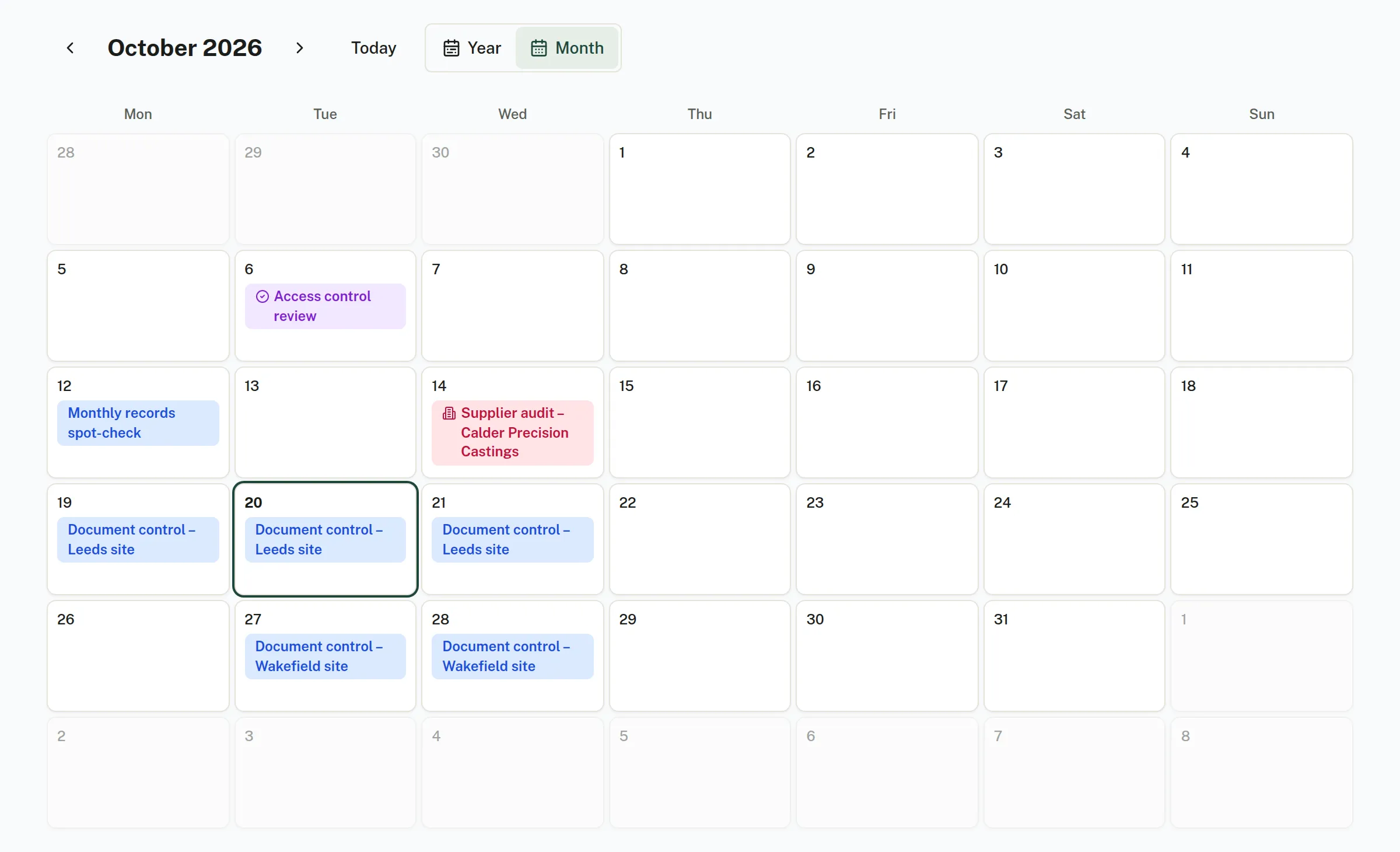
Book audits on a month calendar, including recurring series.
In detail
Five ways to mark a criterion
Pass, Opportunity for Improvement, Minor nonconformity, Major nonconformity or Skip, with notes, evidence files and photos and a live conformity score.
Suggested outcome, your decision
Compleka suggests Pass, Pass with findings or Fail. The auditor confirms it or overrides it with a reason.
A fixed, versioned report
On completion the PDF report is stored as a fixed record, with its SHA-256 fingerprint recorded. Reopening and completing again issues a new version and records why. Earlier versions are kept.
Gaps in evidence flagged
Results with no evidence are marked “No objective evidence recorded”.
Recurring audits
Recurring series are kept 24 months ahead. Edit or cancel one booking or the whole series.
Auditor role
An auditor login sees only the audits assigned to them.
Try it on your own documents.
Start a 14-day free trial. Or talk it through with us first.
Full platform access during the trial. AI features run on prepaid credit.