Documents
Find the current version of every policy.
Upload documents or sync them from SharePoint and OneDrive. Compleka reads each one, tracks review dates and revisions, and keeps the history, so everyone works from the current version.
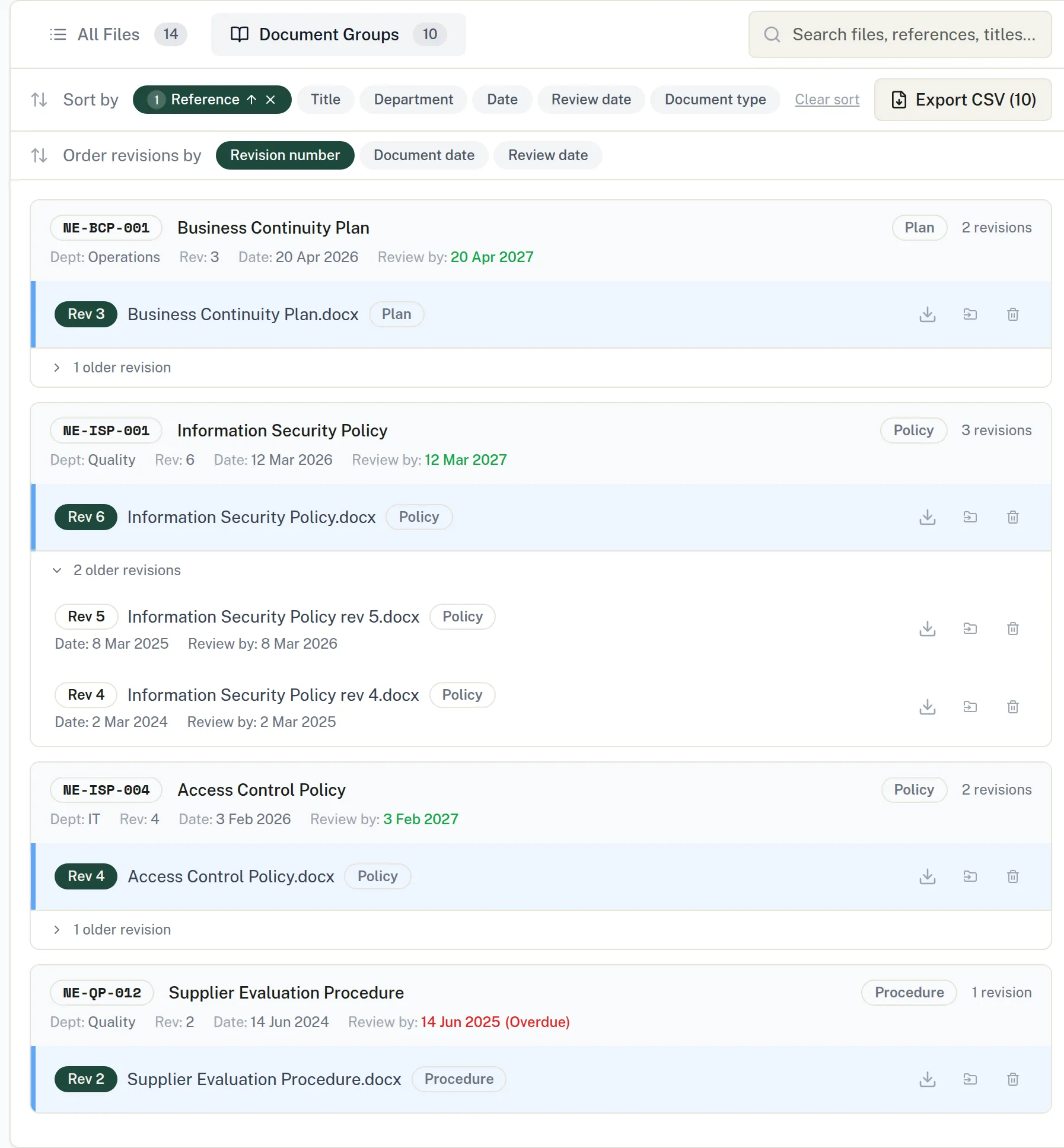
The problem
Years of SharePoint clutter, and no one is sure which version is current
Policies sit across libraries with many old revisions. An audit or a customer question is the moment you find out which one you should have been using.
How it works
- 01
Bring documents in
Upload Word (.docx) and PDF files, or import them from SharePoint and OneDrive.
- 02
Let it read them
Each document is split into passages and indexed for AI search. AI reads the header and footer for the reference, title, revision and review date.
- 03
Keep them current
See what is overdue for review, approve detected changes and follow each document’s history.
In detail
Review dates
The dashboard flags documents overdue for review, and reminders go out before review dates.
Real changes only
When a synced document changes, Compleka compares the file with the stored copy and queues real changes for a user to approve. Once approved, the document history shows an AI summary of what changed and the exact differences.
Superseded, not deleted
Link a new revision saved under a new filename to its predecessor. The old one is kept for history and removed from AI answers.
Document Organiser
Scan SharePoint or OneDrive locations recursively and build an inventory without importing anything. Files are grouped by document so the latest revision is obvious.
Sort, search, export
Multi-level sorting, search, bulk download as a ZIP, and CSV export of the latest revisions or every revision.
One step into Document Management
Send chosen files from the Organiser into Document Management in one step.
Try it on your own documents.
Start a 14-day free trial. Or talk it through with us first.
Full platform access during the trial. AI features run on prepaid credit.