Product
Every module, in the order you’ll use them.
Start with your documents. Ask them questions, answer questionnaires and find gaps. Then audit, and act on what you find.
01
Documents
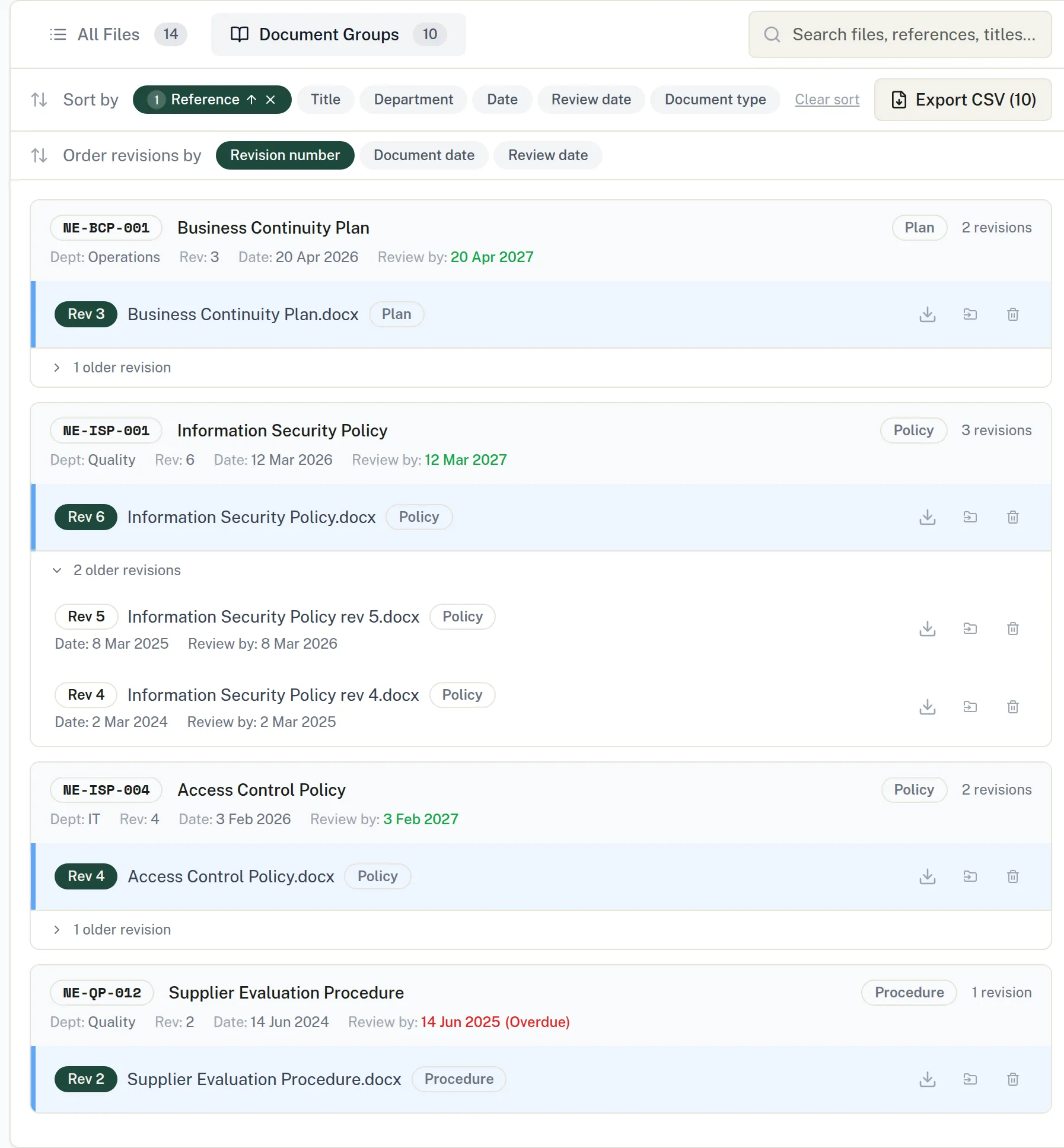
Upload documents or sync them from SharePoint and OneDrive. Compleka reads each one, tracks review dates and revisions, and keeps the history, so everyone works from the current version.
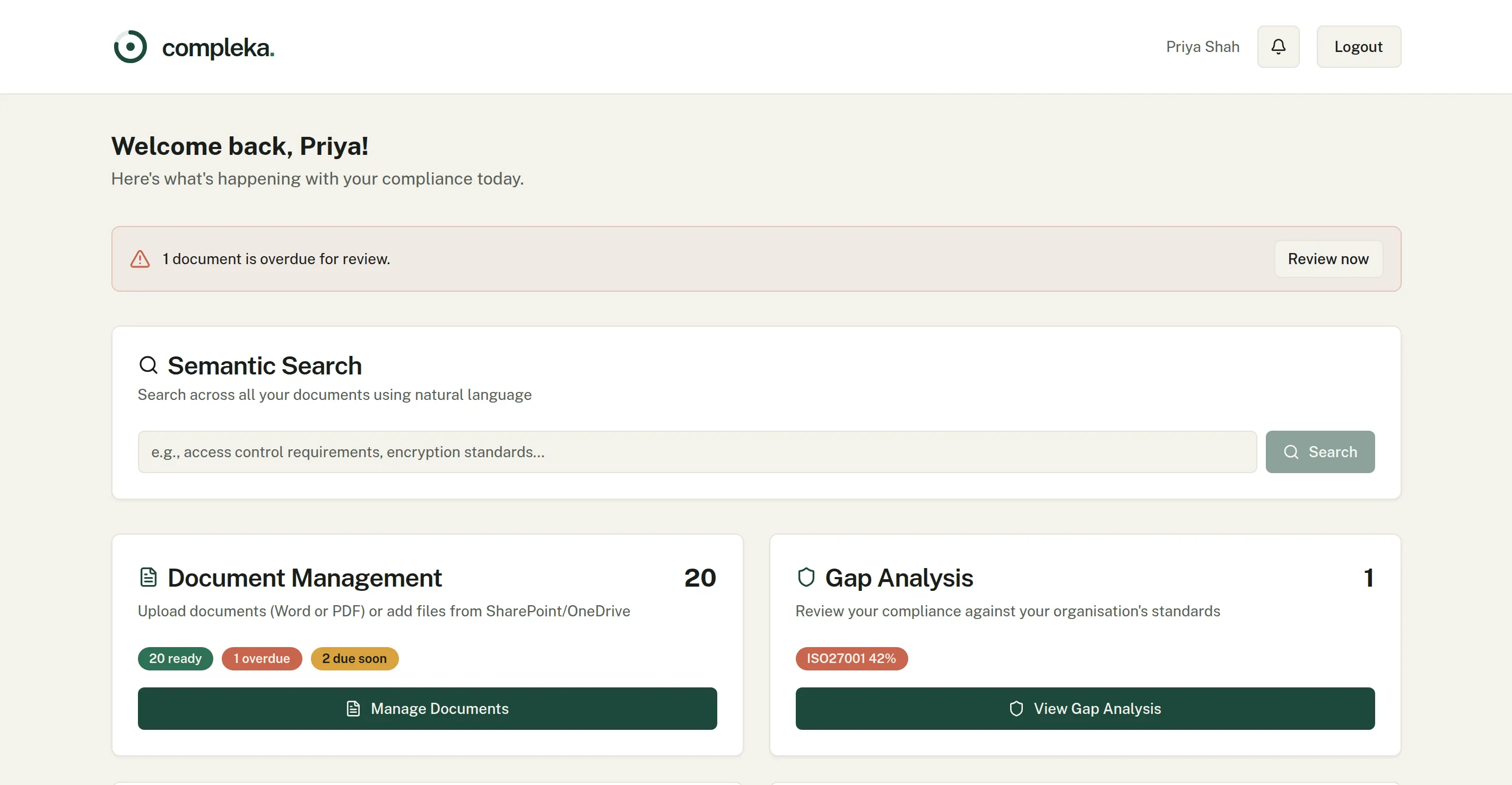
- Review dates. The dashboard flags documents overdue for review, and reminders go out before review dates.
- Real changes only. When a synced document changes, Compleka compares the file with the stored copy and queues real changes for a user to approve. Once approved, the document history shows an AI summary of what changed and the exact differences.
- Superseded, not deleted. Link a new revision saved under a new filename to its predecessor. The old one is kept for history and removed from AI answers.
02
Ask a Question
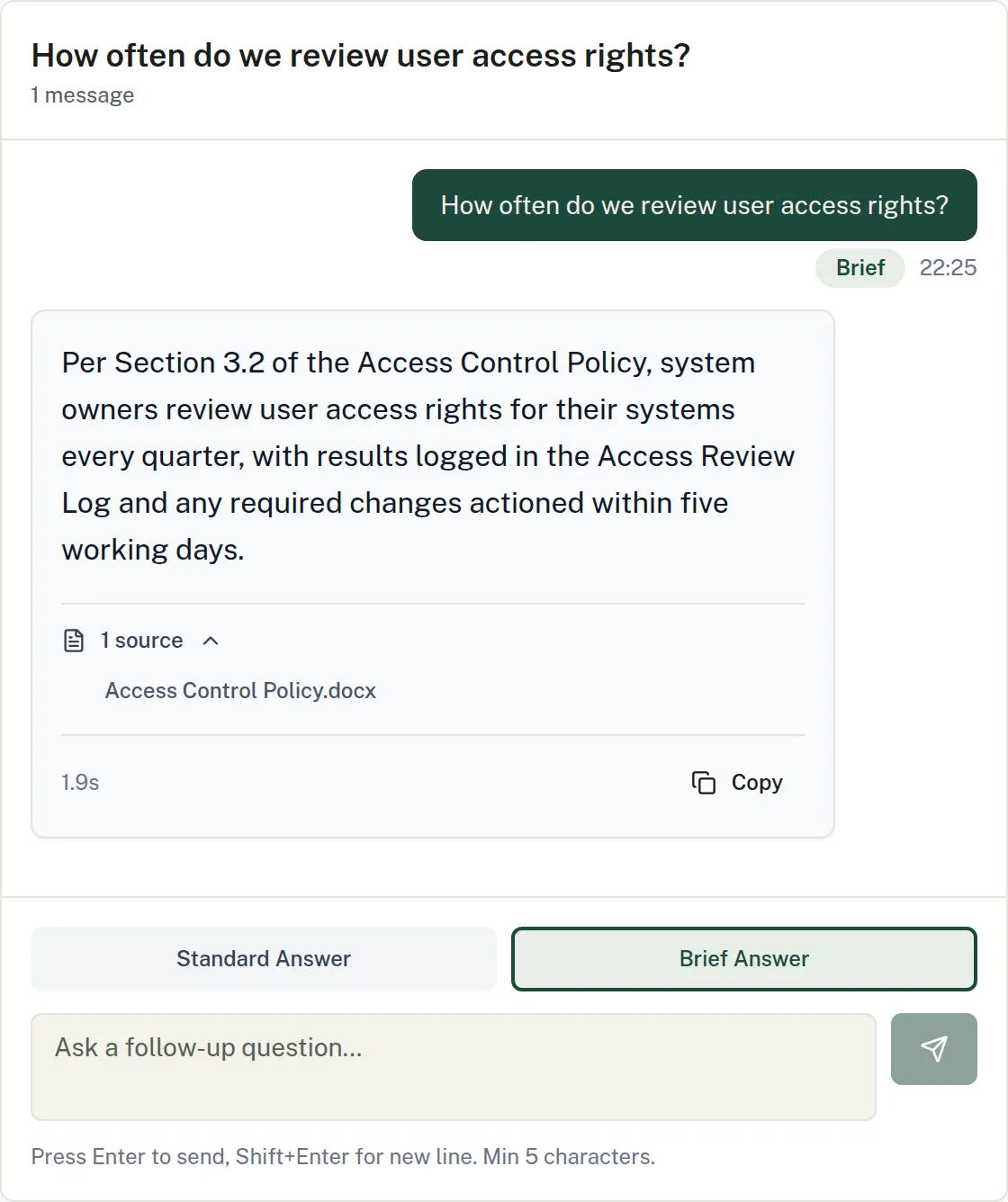
Ask in plain English. Compleka answers from your own policies and procedures and shows the documents each answer came from, so you can check it in a click.
- Two answer styles. Standard gives the full answer with policy references. Brief gives one or two sentences.
- Conversations. Multi-turn chat with your documentation that keeps context between questions.
- History and templates. Filter your question history and reuse question templates for the things you are asked often.
03
Questionnaires
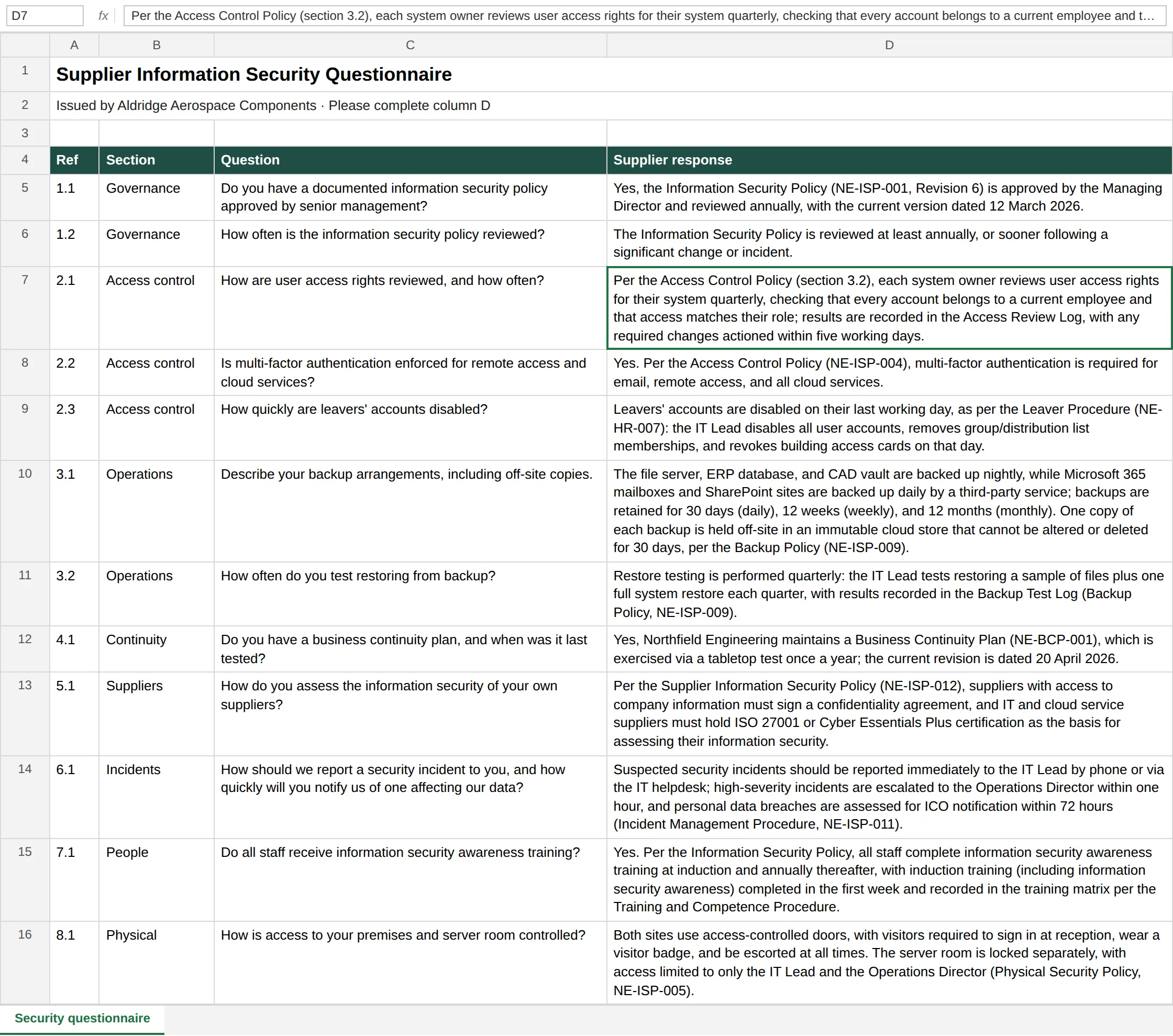
Send Compleka the customer or supplier questionnaire exactly as you received it. Every question is answered from your own documents, and you get the same workbook back with the answers written in.
- Your layout, untouched. You get back the workbook you were sent, not a re-typed copy. Formatting is preserved.
- Brief answers by design. The Brief answer style gives one or two sentences, made for supplier questionnaires.
- Drawn from your documents. Answers come from your own policies and procedures, so they stay consistent with what you actually do.
04
Gap Analysis
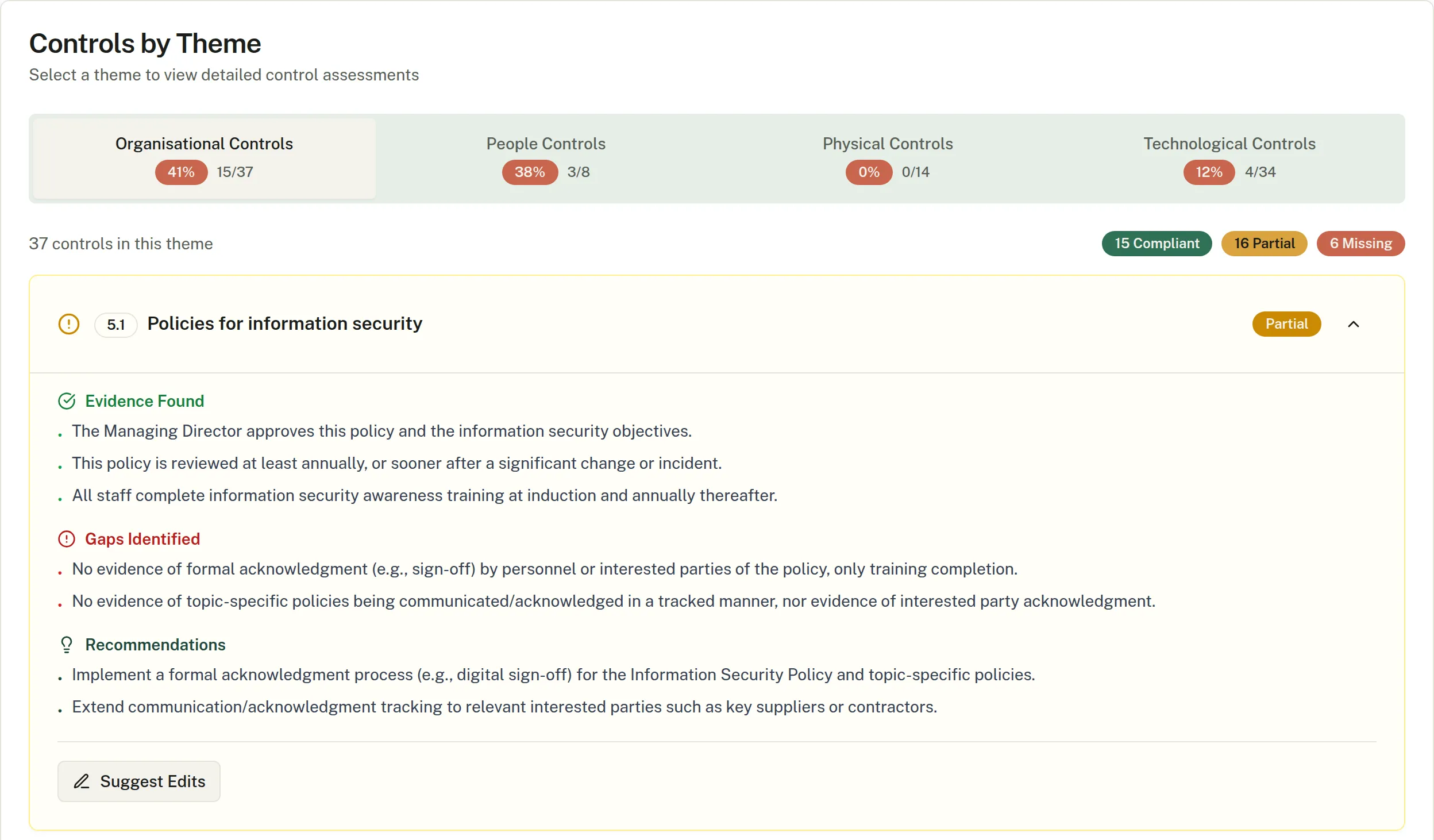
Compleka assesses your documentation against each framework you have enabled, clause by clause or control by control, and shows the evidence it relied on.
- Starter policies. For a missing control, Compleka generates a starter policy as a Word document.
- Suggested redlines. For a partial control, pick an existing document and get before and after excerpts with reasons, as a Word report.
- AI drafts. People approve.. Drafts are downloaded for a person to review and edit. They are never added to your evidence base automatically.
05
Audit Manager
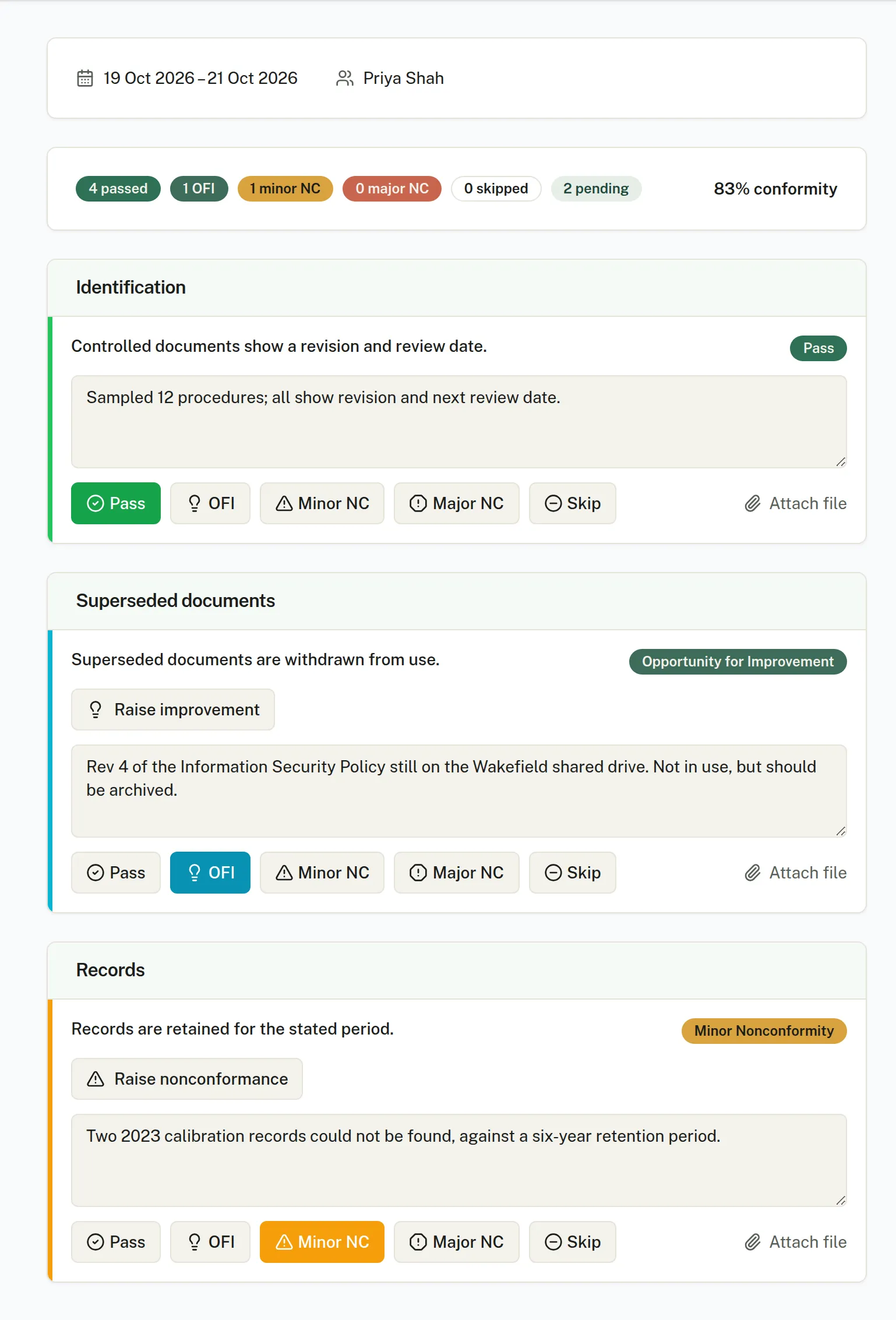
Build versioned audit templates, book audits on a calendar, run them with evidence attached and finish with a fixed PDF report you can hand to an auditor, customer or certification body.
- Five ways to mark a criterion. Pass, Opportunity for Improvement, Minor nonconformity, Major nonconformity or Skip, with notes, evidence files and photos and a live conformity score.
- Suggested outcome, your decision. Compleka suggests Pass, Pass with findings or Fail. The auditor confirms it or overrides it with a reason.
- A fixed, versioned report. On completion the PDF report is stored as a fixed record, with its SHA-256 fingerprint recorded. Reopening and completing again issues a new version and records why. Earlier versions are kept.
06
Nonconformance & CAPA
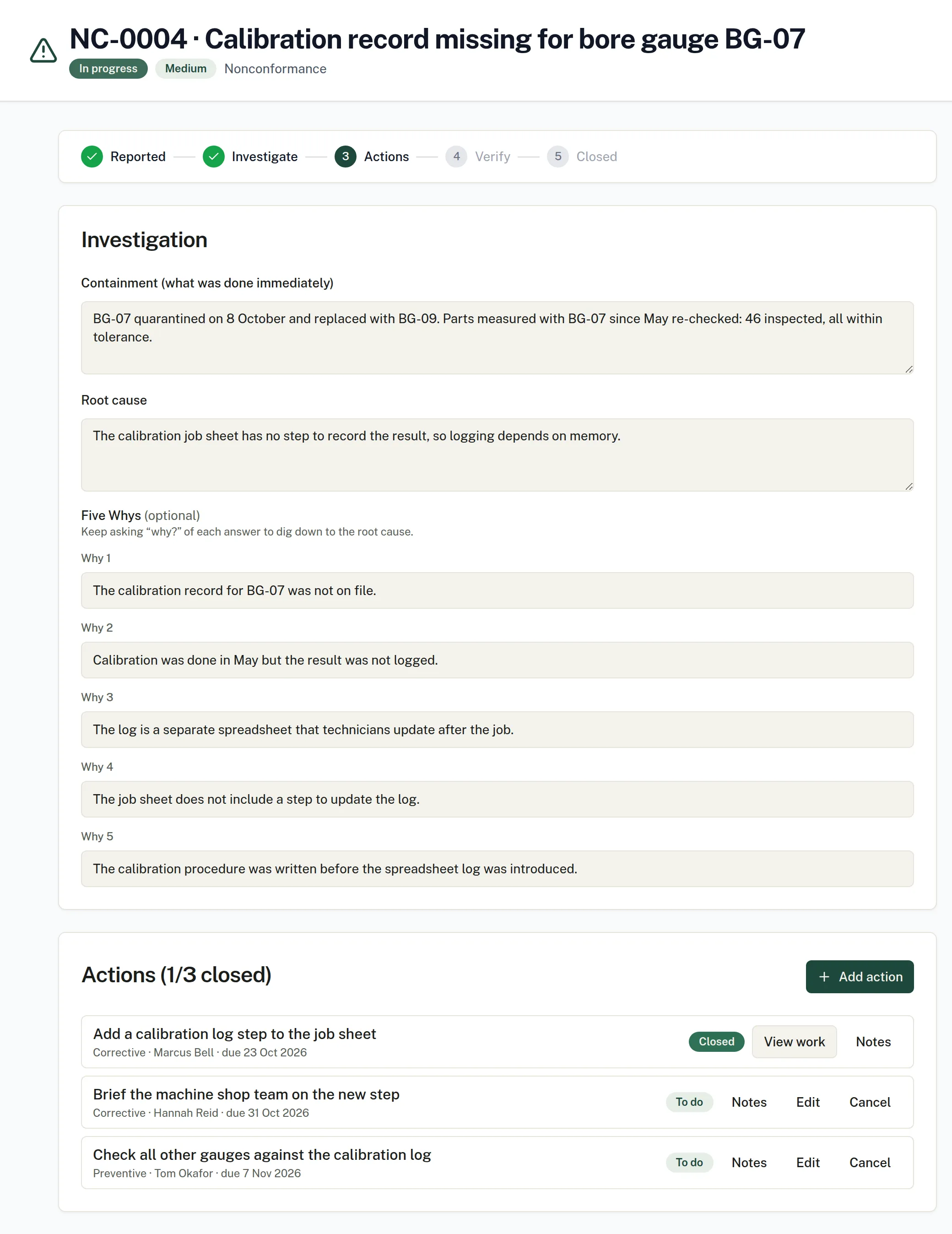
Record nonconformances, incidents, near misses, complaints, observations and improvement opportunities in a single register, and take each one through root cause to closure.
- Built on ISO corrective-action requirements. The flow follows the corrective-action requirements common to ISO management system standards, such as clause 10.2 of ISO 9001, 14001 and 45001.
- My Actions. Each person gets a page of their own actions, with overdue reminders and scheduled effectiveness checks on the audit calendar.
- Custom fields. Add your own text, number, date, dropdown and checkbox fields for things like supplier, batch, cost or customer reference.
Around the modules
Notifications, roles and administration.
- Notifications. An in-app centre, email with per-user preferences and one-click unsubscribe, and Microsoft Teams channel messages with an “Open in Compleka” button.
- Roles. Admin, Member, Viewer (read-only), Auditor and Contributor. See who uses what.
- Administration. Invite users by email, a usage dashboard with AI usage and cost per day and month, and billing in the app.
Try it on your own documents.
Start a 14-day free trial. Or talk it through with us first.
Full platform access during the trial. AI features run on prepaid credit.